Native Errors
Code Signing errors
Code Signing Error: Failed to create provisioning profile. The app ID "com.csform.ionic.yellow" cannot be registered to your development team. Change your bundle identifier to a unique string to try again. Code Signing Error: No profiles for 'com.csform.ionic.yellow' were found: Xcode couldn't find any iOS App Development provisioning profiles matching 'com.csform.ionic.yellow'. Code Signing Error: Code signing is required for product type 'Application' in SDK 'iOS 11.1'
Running an app on an iOS device requires a provisioning profile. If a provisioning profile has not been created yet follow these directions:
-
Package ID を設定します。
For Capacitor, open the
capacitor.config.jsonfile and modify theappIdproperty.For Cordova, open the
config.xmlfile and modify theidattribute of the root element,<widget>. See the Cordova documentation for more information. -
Xcodeでプロジェクトを開きます。
For Capacitor, run the following to open the app in Xcode:
$ ionic capacitor open iosFor Cordova, open Xcode. Use File » Open and locate the app. Open the app's
platforms/iosdirectory. -
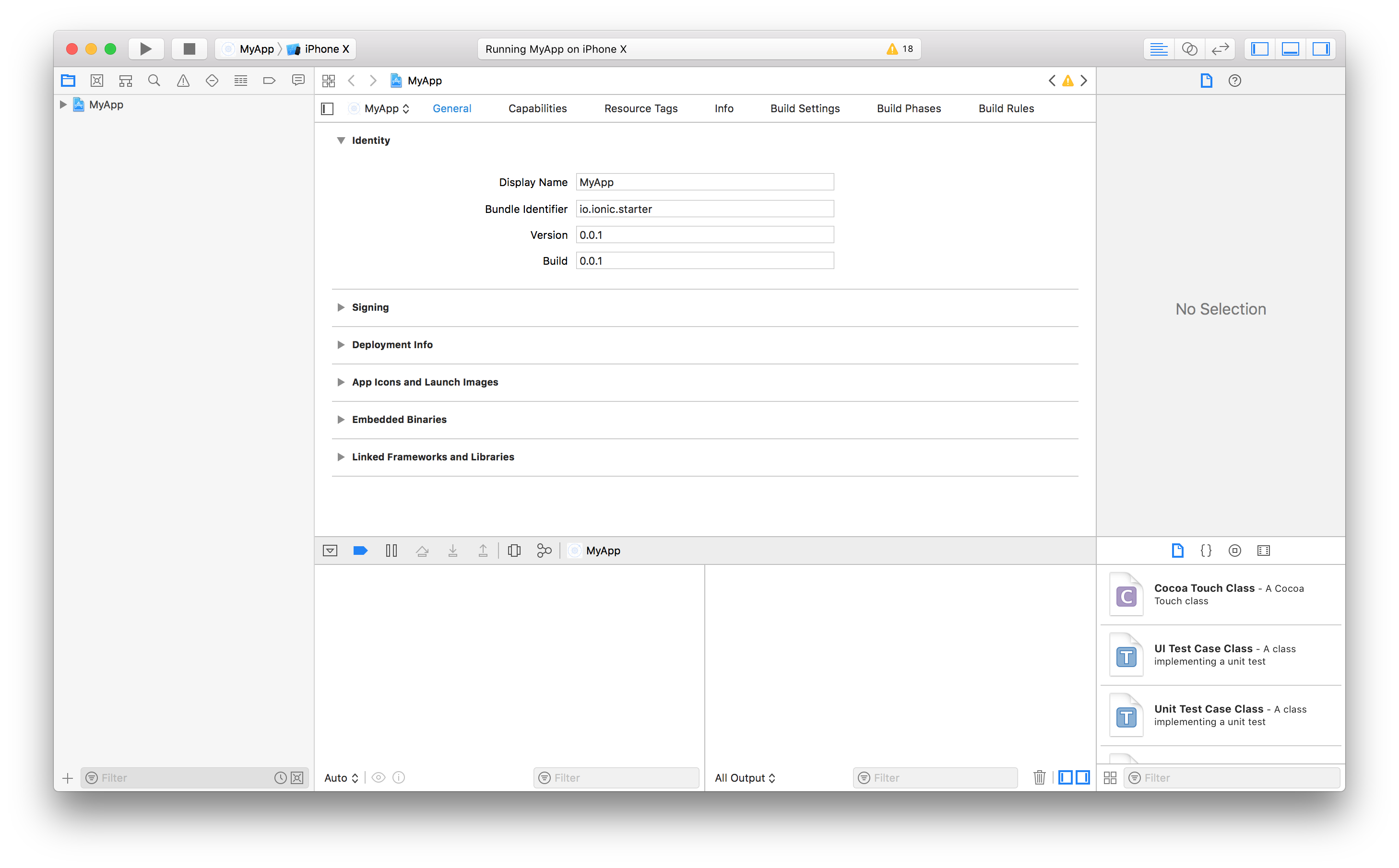
Project navigator でプロジェクトルートを選択し、プロジェクトエディタを開きます。Identity セクションで、設定した Package ID が Bundle Identifier と一致していることを確認します。
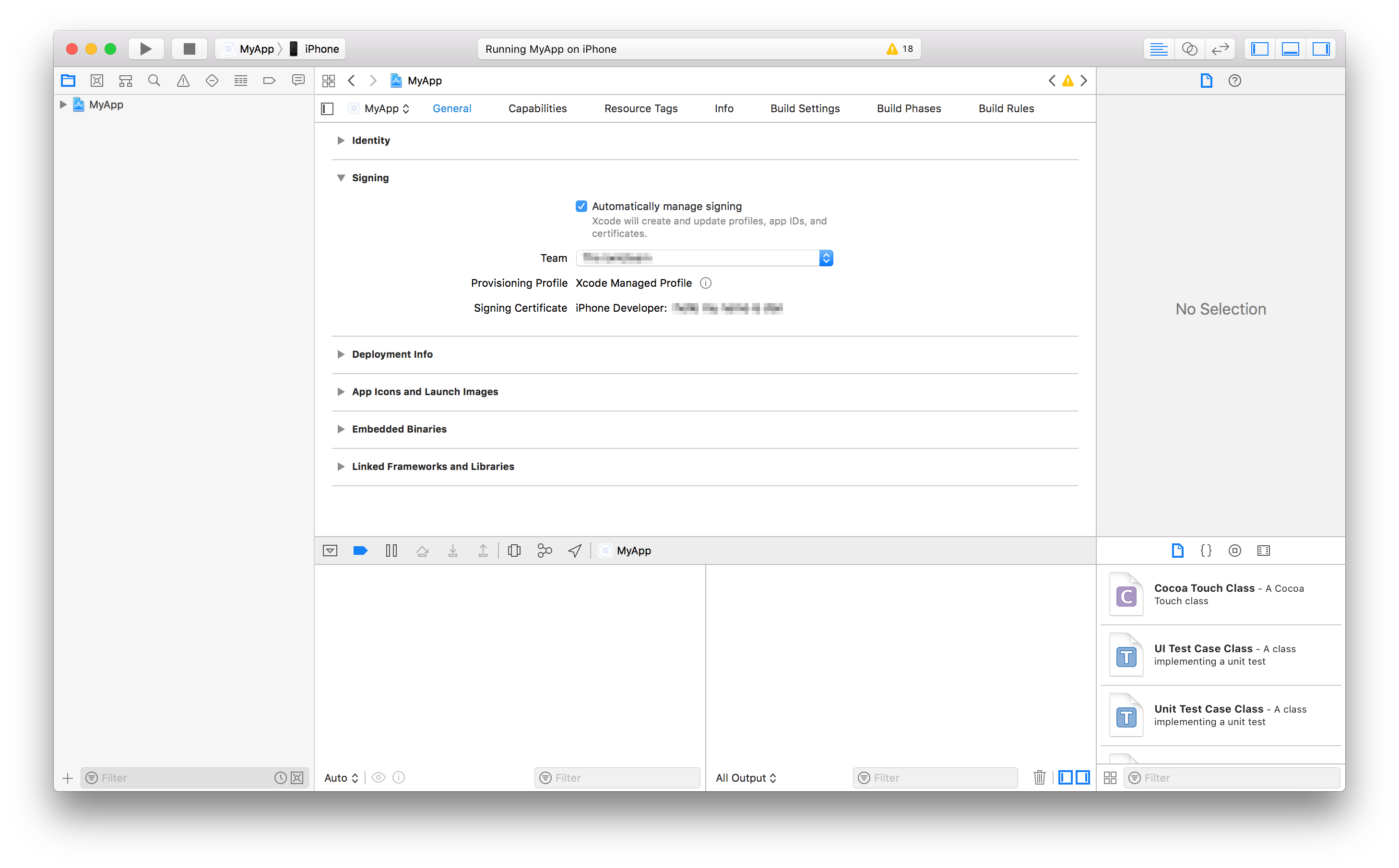
- 同じプロジェクトエディタで、署名のセクションの下に、署名を自動的に管理が有効になっていることを確認します。 その後、開発チームを選択します。開発チームを指定すると、Xcode はプロビジョニングと署名を自動的に準備しようとします。
Xcode build error 65
Error: Error code 65 for command: xcodebuild with args: -xcconfig,/Users/ionitron/projects/my-project/platforms/ios/cordova/build-debug.xcconfig,-workspace,SC project.xcworkspace,-scheme,SC project,-configuration,Debug,-sdk,iphonesimulator,-destination,platform=iOS Simulator,name=iPhone X,build,CONFIGURATION_BUILD_DIR=/Users/ionitron/projects/my-project/platforms/ios/build/emulator,SHARED_PRECOMPS_DIR=/Users/ionitron/projects/my-project/platforms/ios/build/sharedpch
This error is an error code from Xcode that can be caused by provisioning issues or outdated cordova dependencies. To fix this error first make sure a provisioning profile has been generated using the above instructions and then try to run the app from Xcode.
If this does not fix the error then run the following commands:
rm -rf node_modules
rm -rf platform
npm i
ionic cordova platform add ios
ionic cordova prepare ios
ionic cordova build ios --prod
Once these commands have been ran a fresh build can be done.
Clashing Google Play Services versions
Error: more than one library with package name com.google.android.gms
This error is caused by two separate plugins trying to use different versions of the Google Play Services. To fix this issue make sure you are running cordova version 7.1.0 or higher and cordova-android 6.3.0 or higher. To install latest cordova run:
npm install cordova@latest
and to update cordova-android run:
cordova platform update android
Plugins that depend on Google Play Services can now be updated to use the same version. For example, if pluginA uses version 11.0 and pluginB uses version 15.0 they can be updated to use the same version with the following snippet in the config.xml file:
<plugin name="pluginA" spec="npm">
  <variable name="PLAY_SERVICES_VERSION" value="15.0.0"/>
</plugin>
<plugin name="pluginB" spec="npm">
  <variable name="PLAY_SERVICES_VERSION" value="15.0.0" />
</plugin>